
What Is Zoho Mail?
Zoho Mail is a business email service made by Zoho. It lets you send and receive email from your own company domain, like name@yourcompany.com, instead of a free address like @gmail.com. This makes your business look more professional to customers. You can buy it on its own if email is all you need, or get it as part of Zoho Workplace if you also want tools like chat, meetings, and file storage. It includes an admin console to manage users, security features like encryption and two-factor authentication, and mobile apps for iOS and Android.What Is Gmail for Business?
“Gmail for Business” is the common name people use for Gmail on a company domain. Google doesn’t sell it as a separate product. To get a business email like name@yourcompany.com with Gmail, you need a paid Google Workspace plan. The free Gmail account only gives you an @gmail.com address. Google Workspace was earlier called G Suite. Along with Gmail, it includes other tools like Calendar, Meet, Chat, Drive, Docs, Sheets, and Slides. Everything is managed from one admin console, where you can add users and control settings.Zoho Mail vs Gmail: Key Differences
Both give your team professional email on your own domain. The key differences are how you buy them, how much storage you get, and which tools come with them.| Comparison Factor | Zoho Mail | Gmail (via Google Workspace) |
| How you buy it | As a standalone email plan, or as part of Zoho Workplace. | Through a Google Workspace plan only |
| Email on your company domain | Yes | Yes |
| Starting storage | 5 GB or 10 GB per user on Mail Lite plans | 30 GB pooled storage per user on Business Starter |
| Plan flexibility | You can mix email-only and Workplace plans for different users. | Same plan structure for the whole business. |
| AI features | Zia, Zoho’s AI assistant | Gemini, included in all Workspace plans |
| Mobile apps | iOS and Android | iOS and Android |
| Best for | Businesses that want low-cost email, or email that can grow into a full suite later. | Teams that already use Google apps and want everything in one place. |
Zoho Workplace vs Google Workspace
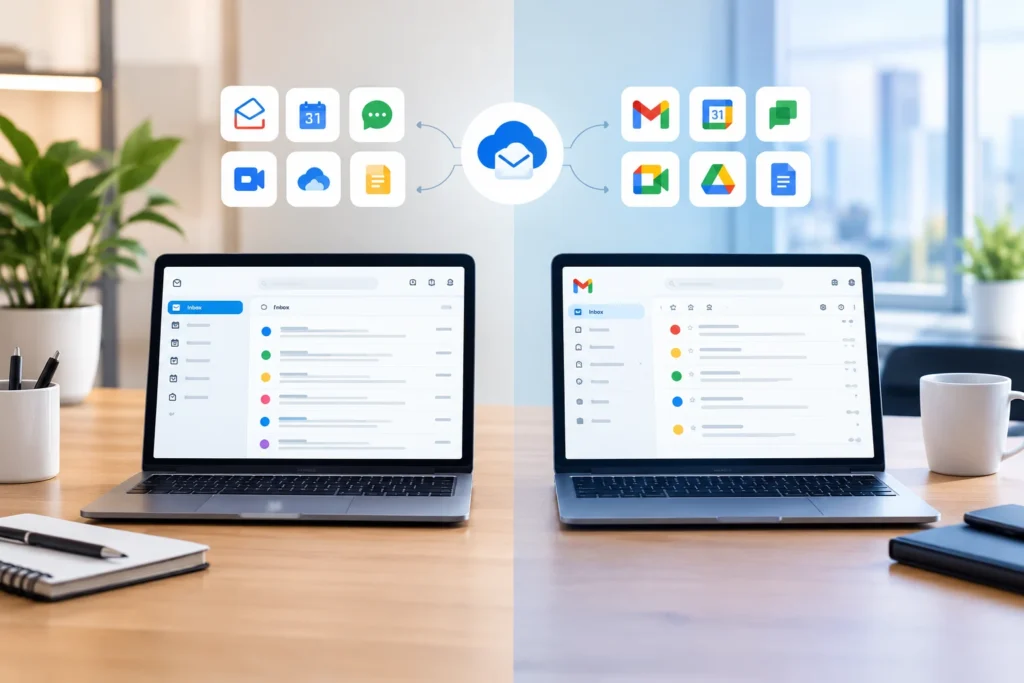
Need email, chat, video calls, and file storage in one subscription? This is how Zoho’s suite and Google’s suite compare.| Comparison Factor | Zoho Workplace | Google Workspace |
| Zoho Mail | Gmail | |
| Team chat | Zoho Cliq | Google Chat |
| Video meetings | Zoho Meeting | Google Meet |
| Cloud storage | Zoho WorkDrive | Google Drive |
| Documents, sheets and slides | Zoho Writer, Sheet and Show | Google Docs, Sheets and Slides |
| AI assistant | Zia | Gemini |
| Connects best with | Other Zoho apps | Other Google apps |
| Additional Apps | Zoho Vault, Zoho Directory, Zoho Connect (Intranet), Streams, Notes, Bookmarks, Tasks | Google Keep, Sites, Forms, Tasks, AppSheet, Vids |
Zoho Mail or Gmail: Which Is Right for Your Business?
There is no single answer here. The right choice depends on what your business needs, how much you want to spend, and what tools your team already uses. Choose Zoho Mail if you mainly need email. Zoho Mail can be bought on its own, so you only pay for what you use. It also has a free plan for small teams and low-cost paid plans. If you later want chat, meetings, and file storage, you can move to Zoho Workplace. You can also mix plans, so some people get email only, and others get the full suite. It is a good fit for small businesses and teams that use other Zoho apps. Choose Gmail if your team already lives in Google apps. Gmail on your company domain comes with Google Workspace. That means your team also gets Drive, Docs, Sheets, Meet, and Calendar. If your people already share files and join calls this way every day, staying with Google will feel natural and need less training.How TuvisTech Helps Businesses Implement Zoho Solutions
Zoho Mail and Gmail both work well for business email. The right pick depends on your budget, your team size, and the tools you already use. Think about what you will need as you grow. Choosing is only the first step. Setting it up well is what makes it work. TuvisTech is a Zoho Premium Partner that has supported 500+ business teams. We help with Zoho implementation, email migration, customization, and support. Whether you need Zoho Mail, Zoho Workplace, or other Zoho apps like CRM and Books, we set things up around how your team works, so you can start using them quickly and with confidence. Not sure where to begin? Book a free consultation with us today, and let our experts help you choose, set up, and get the most out of Zoho.FAQs
Can I use Gmail with my company domain without Google Workspace?
No. The free Gmail account only gives you an @gmail.com address. To get Gmail on your own domain, like name@yourcompany.com, you need a paid Google Workspace plan. This is one of the biggest points in the Zoho Mail vs Gmail choice, because Zoho Mail can be bought on its own for email only.
Will I lose my old emails if I move from Gmail to Zoho Mail?
Not if the move is planned well. Zoho has migration tools that can copy your old emails and folders to the new mailboxes. It is best to test with one or two accounts first. If you have many mailboxes or a lot of old email, Zoho implementation partners like TuvisTech can handle it for you.
Will my email stop working during the switch?
Email can be delayed for a short time when you change your domain settings (MX records), because the change takes time to spread across the internet. Switching at a quiet time, like a weekend, and planning the steps in order keeps this to a minimum.
Can my team still use Outlook or the mail app on their phones with Zoho Mail?
Yes, on paid plans. You can connect Zoho Mail to other email apps through IMAP or POP. Note that Zoho’s free plan doesn’t include IMAP or POP, so check your plan first.
When should I hire a Zoho partner instead of switching on my own?
If you only have a few mailboxes, you can often do it yourself. A partner helps when you have many users, a lot of old email, need other things moved, or want other Zoho apps set up at the same time.