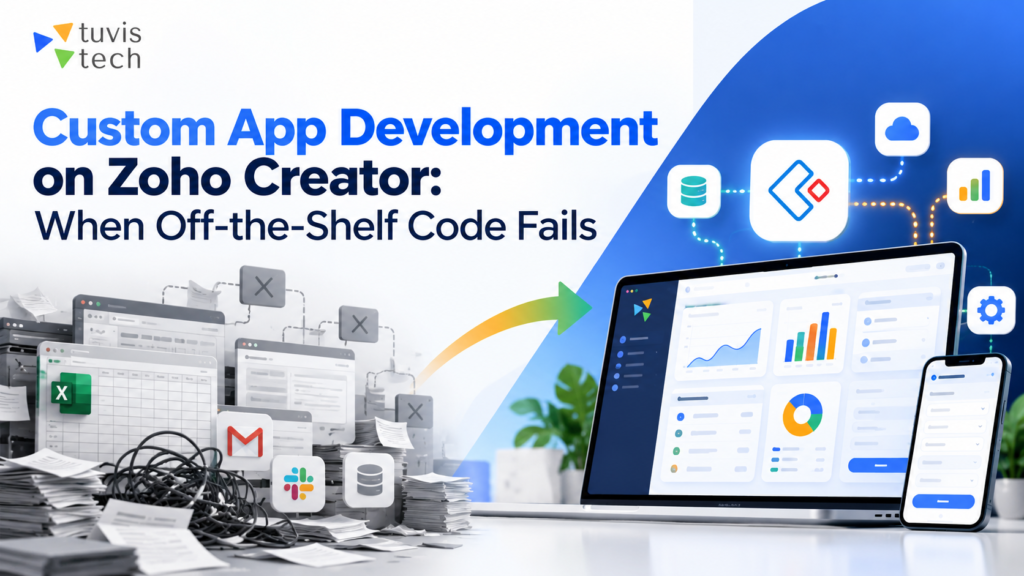
Can one app really work for every business? Not really. Every company has its own way of working, and off-the-shelf software is built to fit as many businesses as possible – not one specific business.
This is why many teams end up using extra spreadsheets, manual steps, or workarounds just to get their daily work done. Ready-made tools are often too generic, too rigid to change, and hard to connect with other systems a business already uses.
This is where custom app development on Zoho Creator makes a real difference, letting businesses build apps that match their exact process, with little to no coding.
At Tuvishtech, we help businesses design and build these custom Zoho Creator apps, so teams get software that works the way they do – not the other way around. This guide covers why off-the-shelf software often falls short and how custom development on Zoho Creator solves it.
What Is Off-the-Shelf Software?
Off-the-shelf software is ready-made software that anyone can buy and start using right away. It is built by a company for a large number of users, not for one specific business. Think of it like a store-bought suit – it fits many people well enough, but it is not made to your exact size.
This type of software comes with a fixed set of features. You cannot change how it works in a deep way, because it is built to serve many different businesses at the same time.
Popular examples include:
- basic accounting tools
- standard CRM software
- general project management apps.
Signs Your Business Has Outgrown Off-the-Shelf Software
Most businesses don’t realize they’ve outgrown their software until the workarounds start piling up. Off-the-shelf tools are built for the average user, not for your specific process – and that gap becomes harder to ignore as a business grows. Here’s what that usually looks like in practice.
1. Your Team Relies on Workarounds:
This is usually the first sign. Someone starts keeping a “backup” spreadsheet because the software can’t track what they need. Another person copies data manually between two tools because they don’t sync. None of this is planned – it just happens, one small fix at a time, until half your process is running outside the actual system.
2. Small Changes Take Forever
With most ready-made software, you don’t really own the tool – you’re renting access to it. So when you need something changed:
- A simple field addition needs vendor approval
- Basic customization often comes with an added cost
- Some requests get a flat “that’s not possible on your plan”
What should take an hour ends up taking weeks, if it happens at all.
3. Data Lives in Too Many Places
One tool for sales, another for stock, and Excel filling in the gaps nobody else covers. It works, until numbers stop matching between reports and someone has to spend half a day figuring out which version is correct. This isn’t a training problem – it’s what happens when systems were never built to talk to each other.
4. Employees Quietly Stop Using It:
This one is easy to miss because nobody complains out loud. People just start doing things the old way – a WhatsApp message here, a phone call there – because logging it in the “proper” system takes longer than the task itself. If your software adoption looks strong on paper but weak in daily habits, that’s worth paying attention to.
5. You’re Paying for Things You Don’t Use
Ready-made plans are priced for a broad market, so they come loaded with features meant for other industries, other team sizes, other use cases. You end up paying for a long feature list while the one thing you actually need still isn’t included.
6. Your Process Doesn’t Match the Software’s Assumptions
Every software product is built with a certain type of business in mind. When your workflow keeps bending around what the tool expects – instead of the other way around – that’s usually not something a setting or plugin can fix. It tends to be a sign the software and the business were never really a match to begin with.
Custom App Development vs. Off-the-Shelf Software
Choosing between the two comes down to how closely you need the software to match your business. Here’s a quick comparison.
| Factor | Off-the-Shelf Software | Custom App Development |
| Fit with your process | Generic, built for many businesses | Built around your exact workflow |
| Setup time | Fast, ready to use right away | Takes longer, but built to last |
| Cost | Lower upfront, but pay for unused features. | Investment upfront, no wasted spending |
| Flexibility | Limited, hard to change | Easy to update as your business changes |
| Integration | Basic, may not connect well with other tools | Built to connect with your existing systems |
| Ownership | You rent access to the software. | You own the app and its data. |
| Scalability | Struggles as your needs grow | Grows and adapts along with your business |
| Best for | Simple, standard tasks | Unique or complex business needs |
Why Choose Zoho Creator for Custom App Development?
There are quite a few low-code platforms around, but Zoho Creator app development services keep coming up as the pick for businesses that don’t want to hire a full dev team just to build something. Here’s why it’s worth a look.
1. You Can Build It Yourself
Forms, workflows, dashboards, you put it together by dragging and dropping. No coding background needed. And your team doesn’t have to spend hours explaining what they want to a developer, they can just go build it themselves.
2. Things Move Faster
A normal software project can drag on for months before anything’s actually usable. With Zoho Creator, there’s much less manual coding, so things move faster. That matters when:
- You need something up and running soon, not months from now
- You want to try out an idea before spending more money on it
- Every week you wait is costing you time or money
3. You Only Pay for What You Use
Off-the-shelf software usually comes packed with features you’ll never touch. With Zoho Creator, you build just what your business needs. So your money goes toward things you’ll actually use, not a long list of stuff sitting there doing nothing.
4. Deluge Takes Care of the Automation
Some tasks need a bit more logic, like sending an approval or a notification automatically. Zoho Creator handles that with its own scripting tool called Deluge. It’s a lot simpler than regular coding, but it still gets the job done, less manual work, fewer mistakes.
5. Works on Any Device
Apps built here aren’t locked to a desktop. They work on web, Android, and iOS, no need to build a separate version for each. Good for field workers, warehouse staff, or anyone who’s not sitting at a desk all day but still needs to use the app.
6. You Control Who Sees What
Not everyone in your company needs access to everything. Zoho Creator lets you set that up by role:
- Managers can see the full reports
- Staff only see what’s relevant to them
- Sensitive information stays with the right people
7. It Grows Along With You
An app that works fine for 10 people should still work fine for 100. Zoho Creator apps are made to handle that, so growing your team doesn’t mean rebuilding your app from scratch.
Key Benefits of Custom Apps Built on Zoho Creator
Once a business switches from generic software to a custom-built app, the difference shows up fast, in daily work, in cost, and in how well the tool actually fits the team using it. Here’s a simple look at the main benefits.
| Benefit | What It Means for Your Business |
| Fits your way of working | The app follows how your team already works, you don’t change your process for it. |
| Faster to launch | Ready in weeks, not months, since there’s less coding involved. |
| Costs less over time | You pay only for what you use, no extra tools sitting unused. |
| Easy to change later | Add or update features whenever your business needs change. |
| All your data in one place | No more jumping between tools, everything stays connected. |
| You control who sees what | Set access by role, so people only see what they need to. |
| Works on any device | Same app on web, phone, or tablet, no extra setup needed. |
| Grows with your business | Handles more users and more work as your team grows. |
| Less manual work | Automates repeat tasks like approvals, alerts, and data entry. |
How TuvisTech Helps
Off-the-shelf software works fine for simple, common tasks. But once your business has its own way of working, generic tools start to hold you back instead of helping you move forward. Workarounds, scattered data, and paying for features you never use are all signs that it’s time for something built specifically for your business.
This is exactly where custom app development comes in. Instead of forcing your team to adjust to a fixed tool, you get a system that matches how your business actually runs, and grows as your business grows.
At TuvisTech, we build Zoho Creator apps for businesses that are tired of forcing their work to fit someone else’s software. We start by actually understanding how you work, then we design and build the app around that, and we stick with you for support once it’s up and running. If off-the-shelf tools have stopped working for you, custom app development Zoho Creator might be exactly what you need next.
Visit our website to talk to our team and see how a custom-built app can work better for your business.
FAQs:
1. Can we replace our current software with a Zoho Creator app?
Yes, this happens a lot actually. Most businesses that come to us are already using some other tool. We build the new app around what you need, then move your old data over. Usually both tools run side by side for a short while, just so nothing gets lost.
2. Does Tuvistech just build the app, or help run it too?
Both. Building it is only half the work really. Once it’s live, your team starts using it and you’ll probably want small changes here and there. That’s why support after launch is part of custom app development Zoho Creator for us, not something you have to ask for separately.
3. Can the app work with tools we already use, like our accounting software?
In most cases, yes. Zoho Creator can connect with a lot of the tools businesses already use, so you’re not typing the same information twice in two places. Just tell us what you’re using and we’ll check how it can be linked up.
4. What happens if our needs change after the app is built?
That’s actually one of the best parts. Since it’s not a fixed product, you can add or change features later without having to rebuild the whole thing. Most businesses do change something as they grow, and that’s completely normal.
5. Is our data safe once we move to a custom app?
Yes. You get to decide who sees what inside the app, since it uses role-based access. Along with Zoho’s own security features, your data usually ends up safer here than when it’s spread across a few different tools that don’t talk to each other.
6. Is this worth it for a small business, or only bigger companies?
It’s not really about how big your business is. It’s more about how specific your work is. Even a small team can outgrow generic software fast if their process doesn’t match what it was built for. If you’re not sure, that’s exactly what a quick chat with our Zoho Creator app development services team is for, just an honest answer, no pressure.