
Growing a manufacturing or retail business means managing more orders, more stock, more locations, and more information. A system that works fine for one store or warehouse often can’t keep up once the business grows to five or more. That’s when businesses realize they need one system that tracks everything together, instead of juggling separate tools that don’t talk to each other.
And it’s not just talk – here’s what the numbers show. The global ERP software market was valued at USD 59.42 billion in 2025 and is expected to reach USD 63.76 billion in 2026, growing to nearly USD 116.54 billion by 2035. More manufacturing and retail businesses are realizing disconnected systems can’t keep up with real growth, and they’re moving toward one connected platform instead.
This is where TuvisTech comes in. As a Zoho Premium Partner, we help businesses move onto one connected Zoho ERP for manufacturing and retail setup, built around how they actually operate.
So what does deploying ERP the right way involve? Here’s the roadmap, step by step.
Key Takeaways:
- Zoho ERP brings inventory, production, sales, and finance into one connected system, cutting down on manual work and mismatched data.
- Manufacturing businesses benefit most from real-time production and raw material tracking, while retail businesses gain accurate stock sync across stores and online channels.
- A phased rollout – starting with assessment, then a pilot, then full deployment – reduces disruption and catches problems early.
- Data migration is often the trickiest part of deployment, so cleaning records before the move matters more than people expect.
- Training and post-launch support decide whether an ERP rollout actually sticks, not just how good the software is on day one.
- Working with an experienced partner like Tuvis Tech can help avoid common deployment mistakes and shorten the time it takes to see results.
Why Zoho ERP for Manufacturing & Retail?
Running a manufacturing or retail business means juggling a lot of moving parts – orders, stock, production, money, and people. When all this information sits in different systems, things start to slip through the cracks. A missed update here, a wrong stock count there, and soon you’re dealing with delays or unhappy customers. Zoho ERP brings everything into one place, so your team always works with the same up-to-date information.
1. Zoho ERP for Manufacturing
For manufacturers, the real challenge is keeping production running smoothly. If raw materials run short, or a machine breaks down, or nobody knows what stage an order is at – profits take a hit. Zoho ERP connects purchasing, planning, and the shop floor into one system. So a plant manager can check, at any moment, what materials are on hand, what’s being made right now, and what’s ready to go out the door. No more calling five people or digging through spreadsheets to get a straight answer.
2. Zoho ERP for Retail
Retail businesses today sell everywhere – in stores, online, and through marketplaces. The hard part is keeping stock numbers the same across all of them. If someone buys the last item online but your store still shows it as available, that’s a problem. Zoho ERP keeps your billing, online store, and inventory in sync. So stock counts stay correct, orders don’t get overpromised, and customers get a smooth experience no matter where they shop.
Key Modules Relevant to These Industries
Zoho ERP is made up of several apps that talk to each other in the background. For manufacturing and retail businesses, four of them handle the most important tasks.
1. Zoho Inventory / Manufacturing Edition
Zoho inventory is the core piece if you’re running Zoho ERP for manufacturing. It keeps track of raw materials coming in, what’s currently on the production line, and finished goods ready to ship. A retail business uses this same module a bit differently – mostly to watch stock levels across warehouses and stores, so nobody’s selling something that’s already sold out.
2. Zoho Books
This handles the finance side, including invoices, expenses, payments, and other essential financial processes. Once it’s connected to the rest of your ERP setup, your finance team stops chasing numbers from five different places and just works off one clean set of records.
3. Zoho CRM
For retail especially, this is where sales and inventory actually meet. It ties your POS system to customer data, so:
- Every purchase gets logged against the right customer
- Stock updates the moment something sells
- Your sales team can see what a customer bought before, without asking around
Manufacturing businesses use it too, mostly to track orders coming in from distributors or B2B clients.
4. Zoho Analytics
Once your other modules are collecting data, this is what turns it into something readable. Sales dips, slow-moving stock, production delays – instead of pulling reports manually every week, you get a dashboard that just shows you what’s going on.
The Executive Roadmap: Step-by-Step Deployment
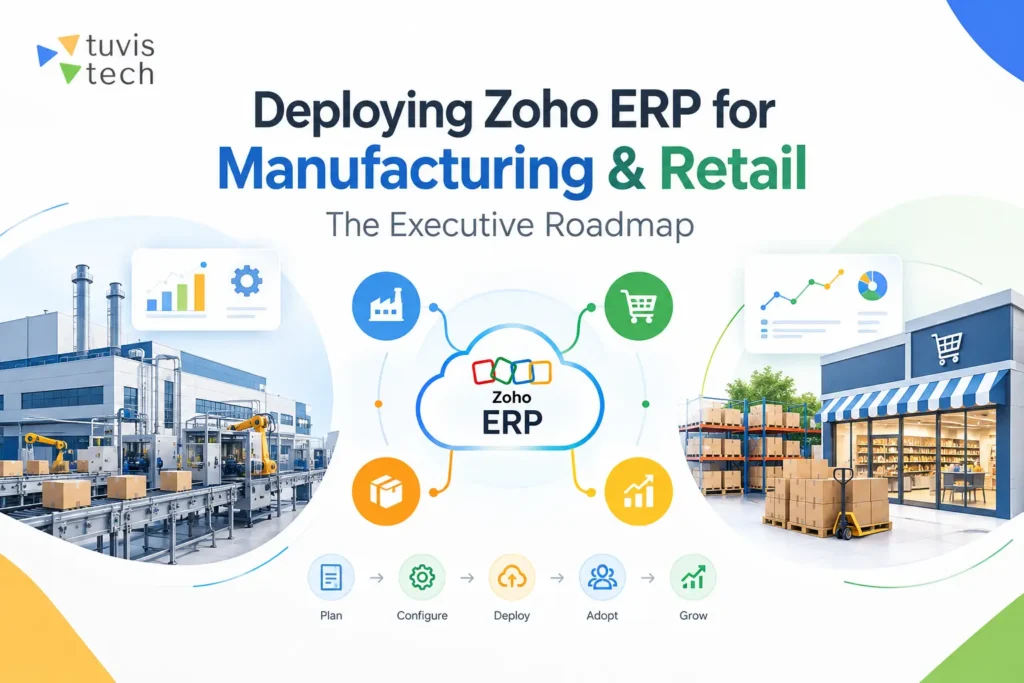
Rolling out an ERP system isn’t something you do overnight. Here’s a simple, six-phase roadmap that works well for both Zoho ERP for retail and manufacturing setups.
Phase 1: Assessment & Requirement Mapping
Before picking any software, find out what’s actually broken. Talk to warehouse staff, accountants, and sales teams – their daily frustrations point straight to the real problems.
- List every department that will use the ERP
- Identify the manual tasks that take up the most time
- Set a realistic budget and timeline
Phase 2: Module Selection & Customization
Pick only the Zoho modules, such as Zoho CRM, that solve your actual problems. Manufacturing businesses usually need production and inventory tools; retail businesses lean on POS and CRM.
- Start with what you need, add more later
- Customize workflows around how your team already works
- Keep approvals simple at first, tighten them once people settle in
Phase 3: Data Migration & Integration
This is where old records – customer lists, stock counts, invoices – move into the new system. It’s usually the messiest phase, since old spreadsheets often have duplicate or outdated entries.
- Clean the data before migrating it, not after
- Check a sample of records manually once moved
- Confirm Zoho connects properly with any other tools you’re keeping
Phase 4: Pilot Testing
Run the system with one team or one location first, while keeping the old process as backup. This catches problems while they’re still small.
Watch for reports that don’t match, features staff avoid, or steps that take longer than before. Fix these before rolling out further.
Phase 5: Org-wide Rollout & Training
Once the pilot works well, bring everyone on board. Good software with poor training still fails in practice.
- Keep training short and role-specific
- Give staff a simple reference guide
- Assign a few go-to people per department for quick help
Phase 6: Post-Go-Live Support & Optimization
Launch isn’t the finish line. Track how people actually use the system and collect feedback regularly for the first few months. Small fixes – a simpler approval step, a clearer report format – often matter more than anything decided during setup. Treat this as ongoing work, not a one-time task.
Your Next Step: Team Up with Tuvis Tech
Deploying Zoho ERP doesn’t have to feel overwhelming. With the right roadmap – from assessment to training to ongoing support – manufacturing and retail businesses can move from scattered systems to one connected setup that actually saves time and cuts down errors.
That said, doing this alone can be tricky, especially if your team is already stretched thin. This is where TuvisTech comes in. We’ve helped manufacturing and retail businesses set up Zoho ERP the right way – without the guesswork, delays, or costly mistakes that come from figuring it out on your own. Our team handles everything from planning to training, so you can stay focused on running your business while we handle the setup.
Ready to make the switch? Visit our website and book a free consultation today!
FAQs
1. Will switching to Zoho ERP disrupt daily operations during deployment?
Only if it’s rushed. Businesses that run a pilot phase first, then roll out team by team, keep operations running while the system gets tested properly.
2. Can Zoho ERP handle multi-location inventory for retail chains?
Yes. Each store or warehouse gets its own stock tracking, but management still gets one combined view – so decisions can be made without checking every location separately.
3. What happens to our old data if migration goes wrong?
That’s why data gets backed up before migration begins. Sample records should also be checked after the move, so errors are caught early instead of surfacing months later.
4. How much customization does Zoho ERP allow for manufacturing workflows?
A fair amount – production stages, approvals, and reporting can all be adjusted. However, over-customizing early makes future updates harder, so it’s best kept to what genuinely saves time.
5. Does Zoho ERP integrate with tools we already use, like accounting or shipping platforms?
In most cases, yes, through built-in connections or APIs. It’s worth confirming compatibility with your specific tools before deployment, since integration depth can vary.
6. How long before a team is fully comfortable using the new system?
Typically a few weeks post-launch. A short dip in speed during this period is normal and usually resolves once daily workflows become routine.